Configure the client onboarding flow with SMS
This document provides detailed instructions on how to configure the WeChat MiniApp client onboarding flow with SMS.
Note: Please note that this flow is different from the onboarding flow with email.
Before you start
- You are using LeapXpert version 2.6.0 onwards.
- You have enabled the client onboarding via SMS on the Org Admin portal.
Steps:
- Go to Company Settings > Feature Configurations > select Governed Channels.
- In the WeChat MiniApp Governed section, search for Client onboarding via SMS.
- Click Edit > Custom value > toggle to ON.
- The Default value is OFF (the client onboarding flow with email).
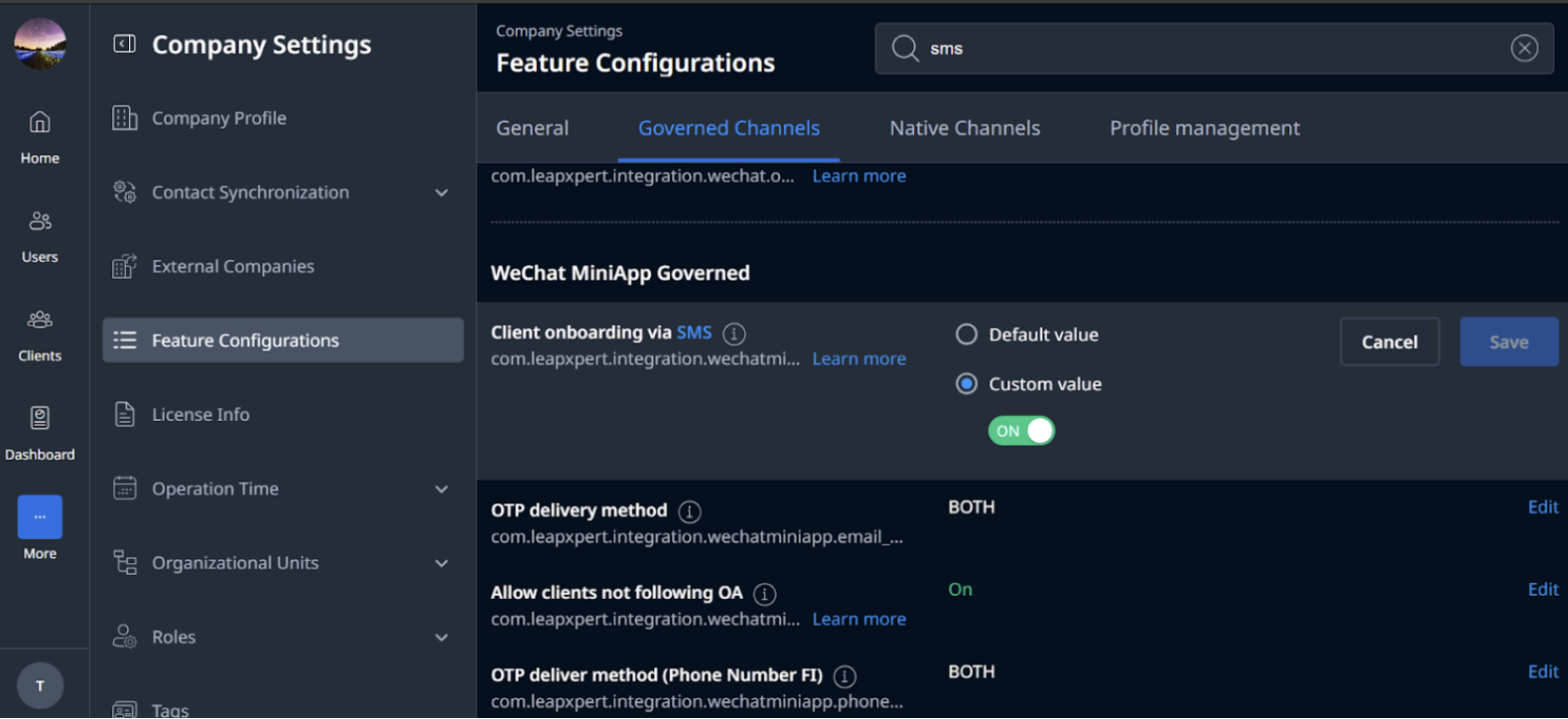
- The Default value is OFF (the client onboarding flow with email).
Onboard clients with SMS
- Go to Leap Work web or mobile app.
- Go to Contacts, select Invite new client.
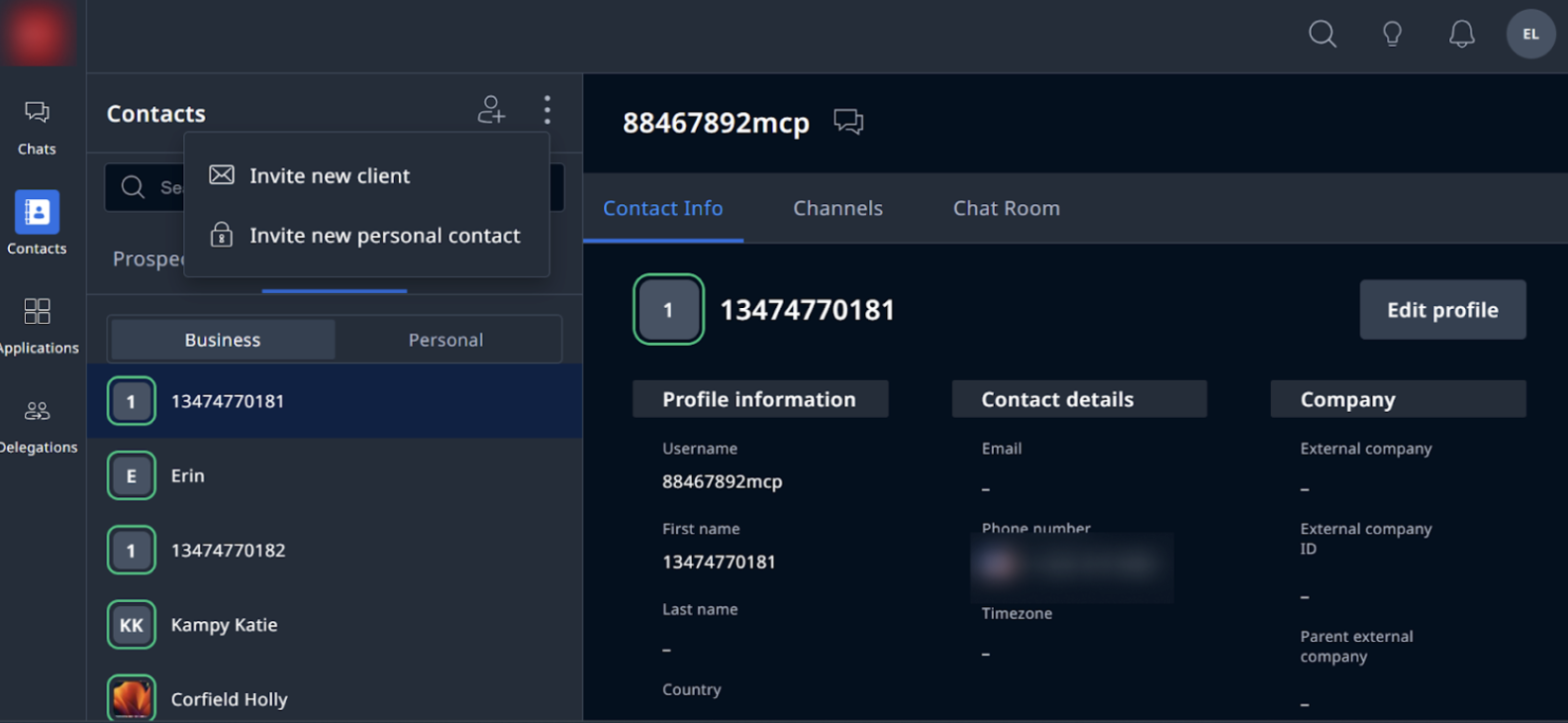
- In the Invite new client, select WeChat MiniApp as the Initial channel.
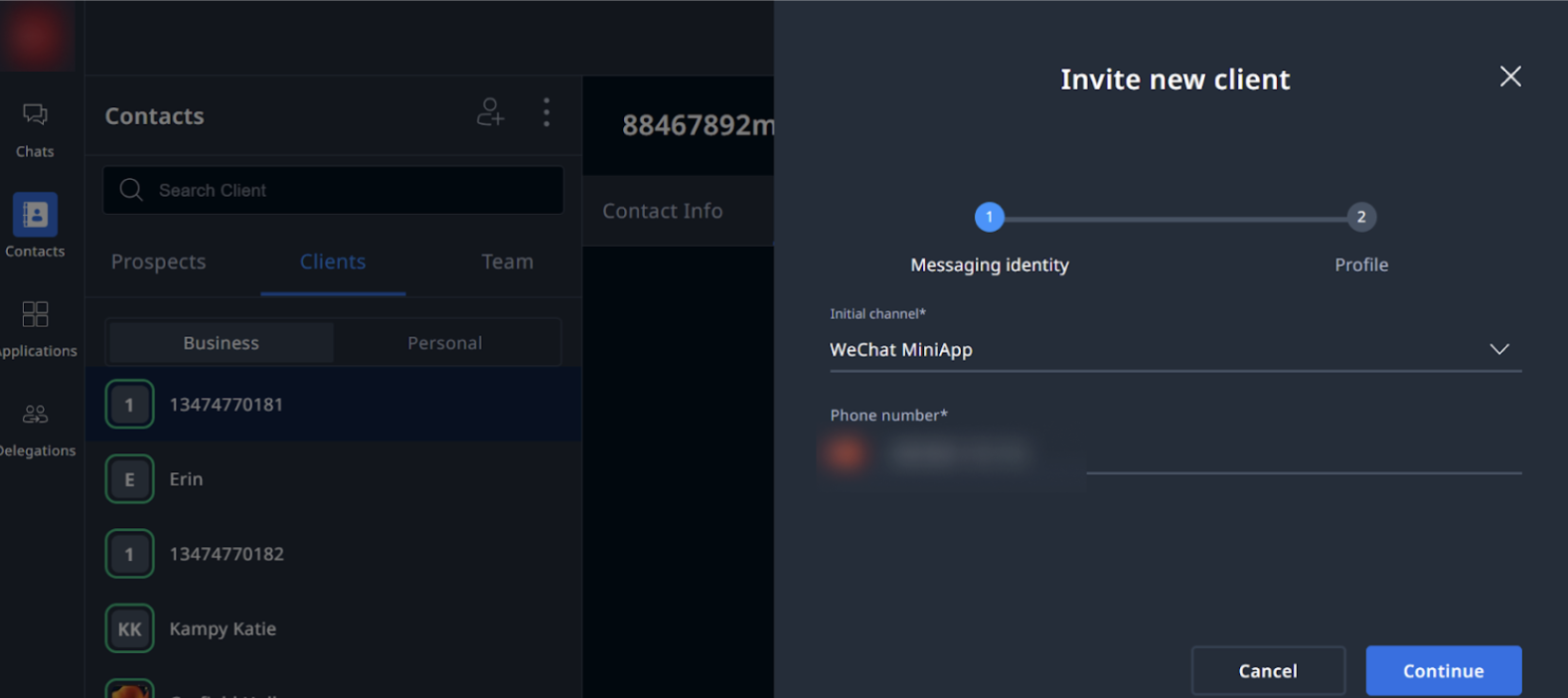
- Type the client’s phone number, then click Continue.
- For a new profile, enter the client's information and click Invite.
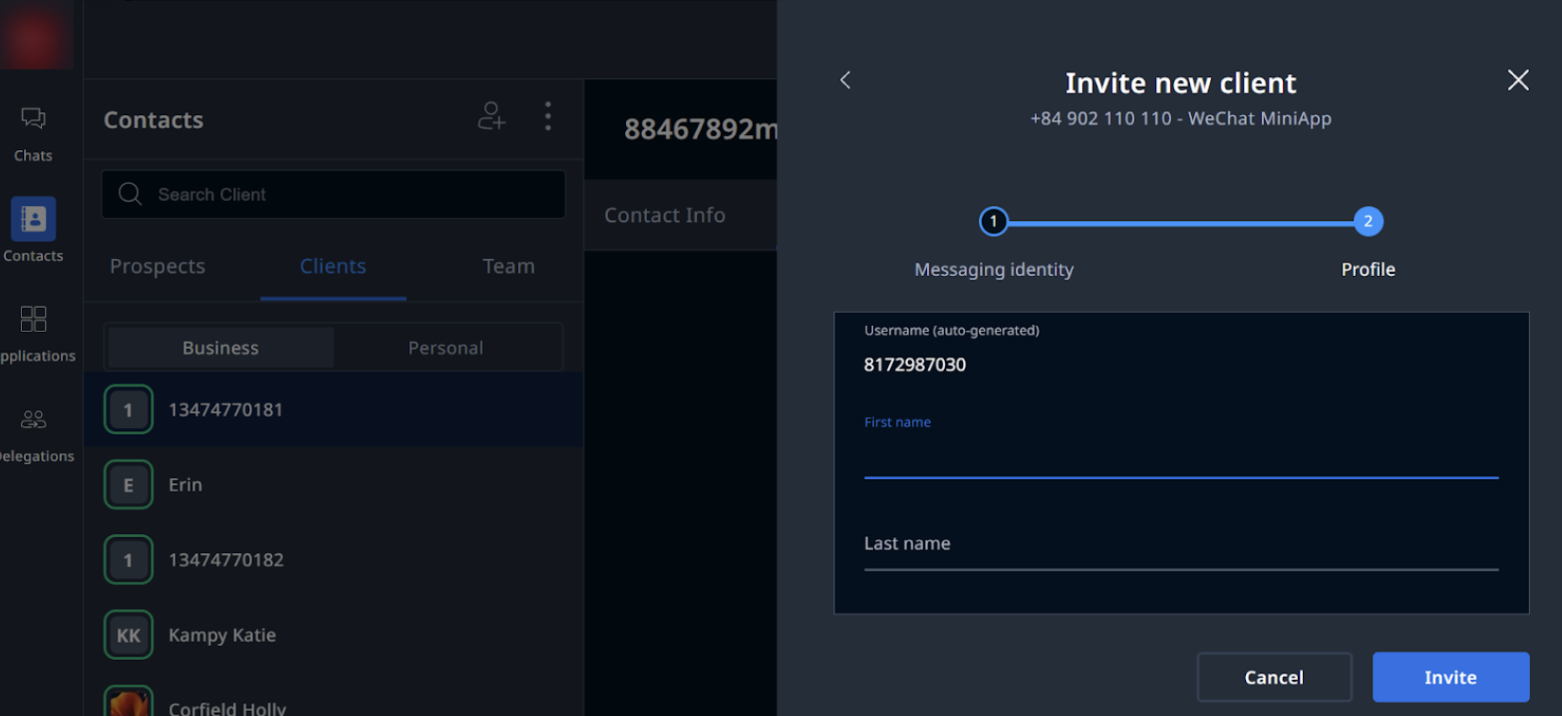
- Select Use an existing profile if the client already has a profile on LeapXpert system or Create a new profile.
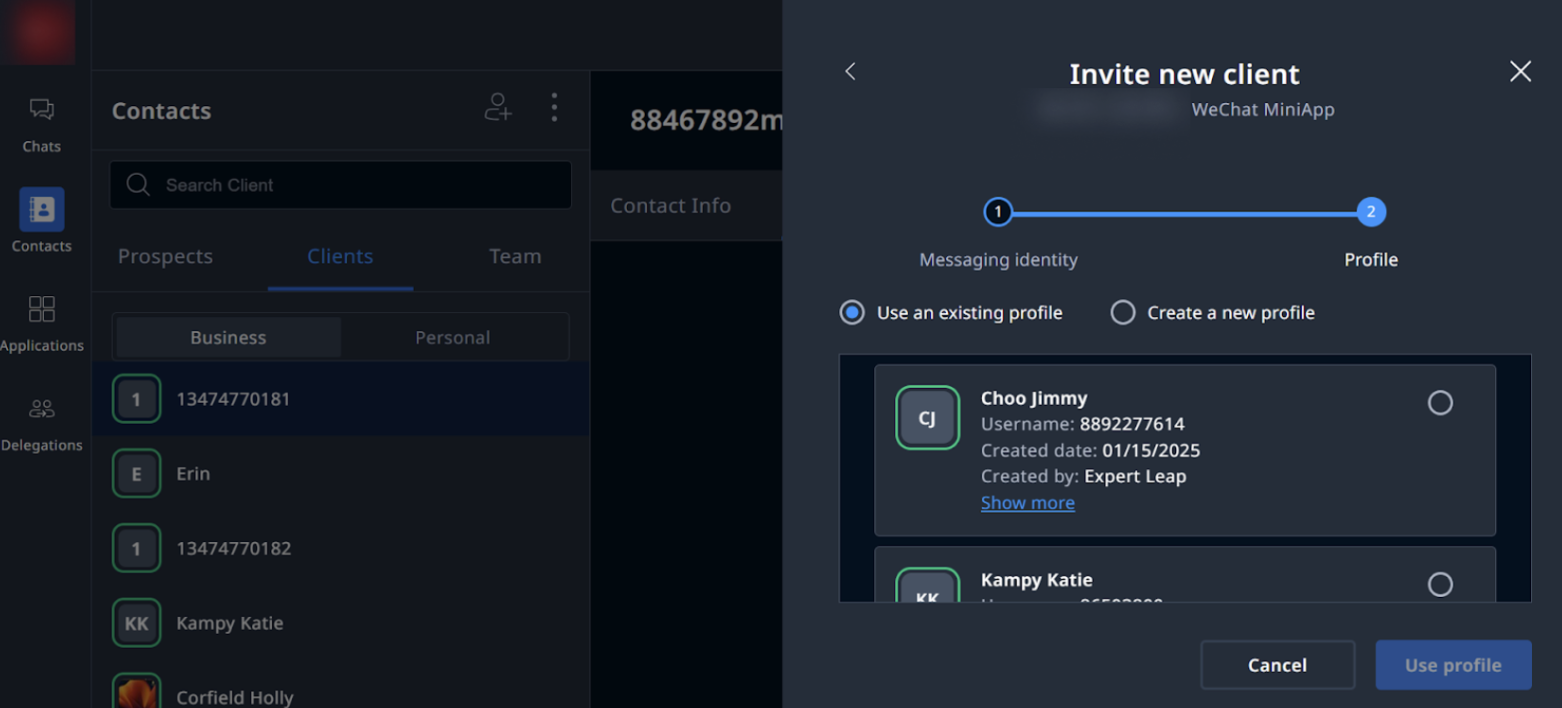
- If you choose Create a new profile, enter the client’s:
- First and Last name
- Country
- Language
- External company
- Tags
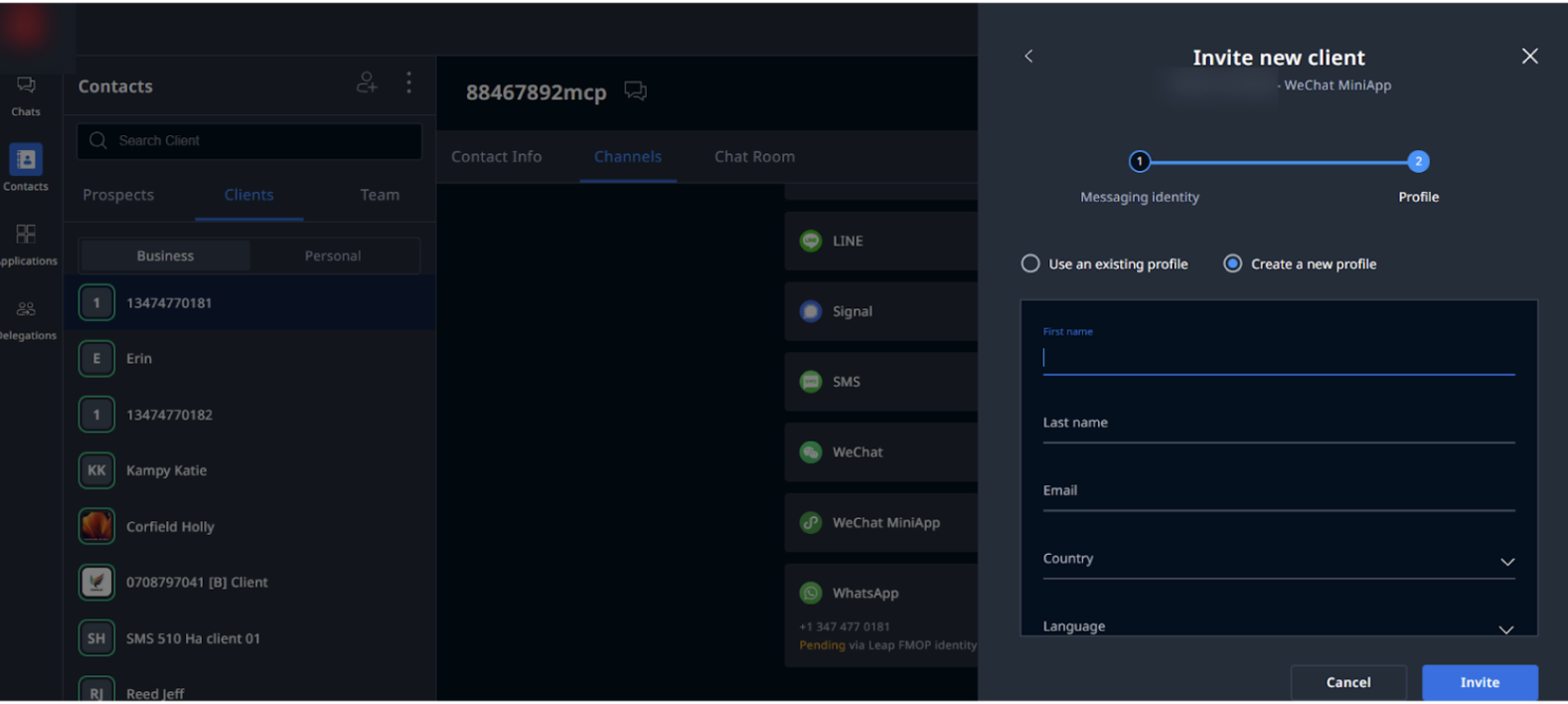
- Select Use an existing profile if the client already has a profile on LeapXpert system or Create a new profile.
- Click Invite.
- Go to Channels and check the integration status is Pending.
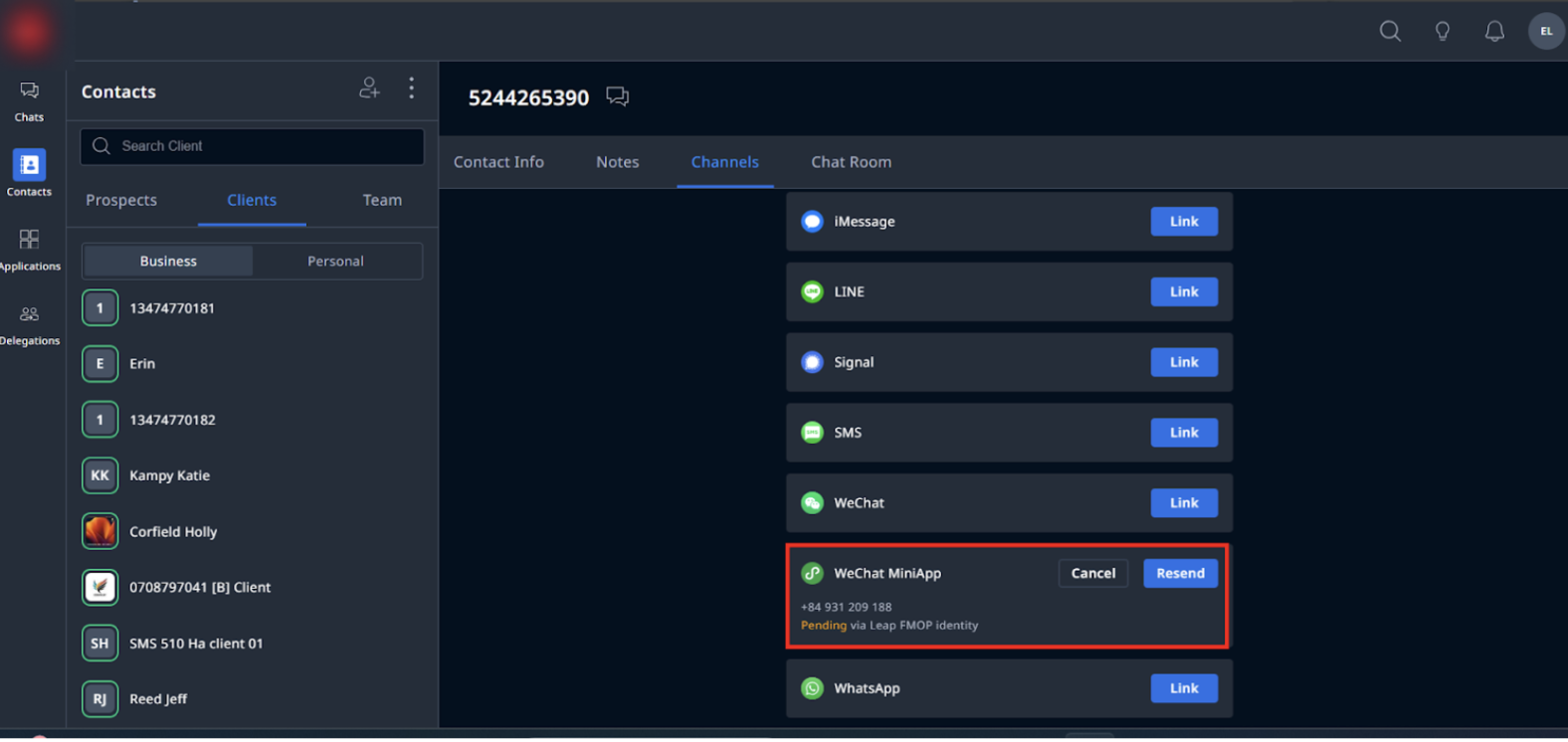
Note:
- The OTP will be sent to client via SMS. Please note that from version 2.6.0 onwards, the OTP can be sent to the client’s email/SMS or both depending on the configuration.
- In addition, LeapXpert will send OTP messages in the client's language, determined by the country code of the registered phone number.
For clients with the Pending status, the system sends the OTP to the number. If the phone number does not exist in our system, the system will not send the OTP but still stays at the OTP screen.
Configure the OTP delivery method via Email
Note: This enhancement is only available from version 2.6.0 onwards.
- Go to Company Settings > Feature Configurations > select Governed Channels.
- In the WeChat MiniApp Governed section, search for OTP delivery method (Phone Number FI).
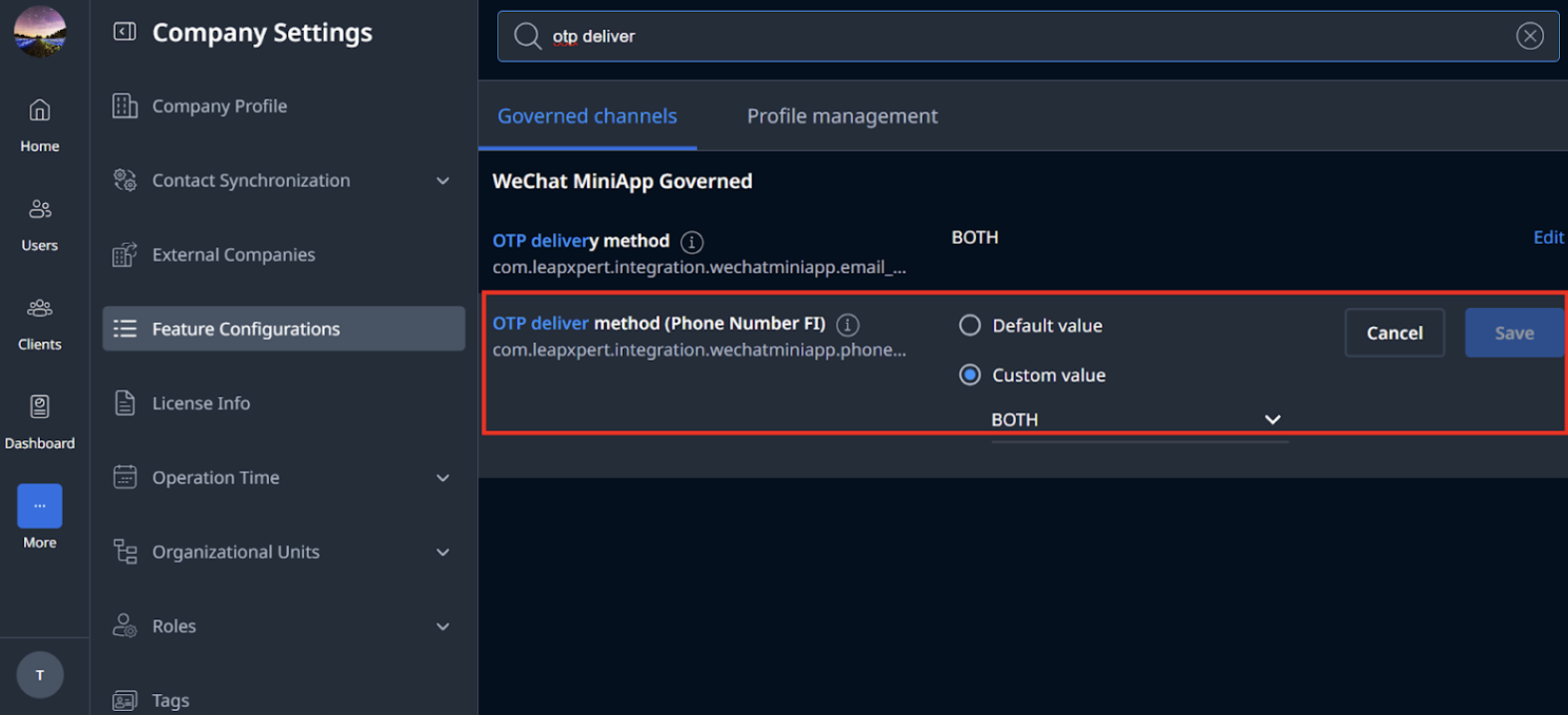
- Click Edit > Custom value.
- Select an option from the dropdown list:
- Both: OTP is delivered via both Email and SMS.
- Email: OTP is delivered via Email only.
- SMS: OTP is delivered via SMS only.
- The Default value is Both.
- Once done, click Save.